Intervention not showing up when it should [iOS]
Is one sec not triggering when you open a target app? Follow this step-by-step guide to debug the issue using the built-in debug banner and verify your iOS Shortcut settings.
Last updated 7 months ago
Article Content:
If one sec doesn't appear when you open a target app, there is usually a logical reason (like a scheduled break) or a small configuration error in the Shortcuts app.
1. Use the "Debug Banner" (Best first step)
To find out exactly why an intervention was skipped, enable the debug banner:
Open one sec → Customize → Advanced.
Turn on Show in Overview why automation is not triggered.
Now, go to the Overview tab. You will see a banner at the top explaining the most recent skipped automation.
Common reasons for skipping an intervention:
Intentional App Switching: You recently closed the app and the "grace period" is still active.
Focus Filters: You have a Focus mode active that allows this app.
Schedules: You have a schedule active that disables interventions during this hour.
Structured Integration: A task is currently active in Structured that allows app usage.
Booting Delay: After restarting your iPhone, it takes about 2 minutes before automations trigger correctly.
2. Check your Shortcuts Automations
If the debug banner doesn't show anything, the issue might be in the Apple Shortcuts App.
A. Double-Check Open vs. Close Actions Open the Shortcuts app and verify:
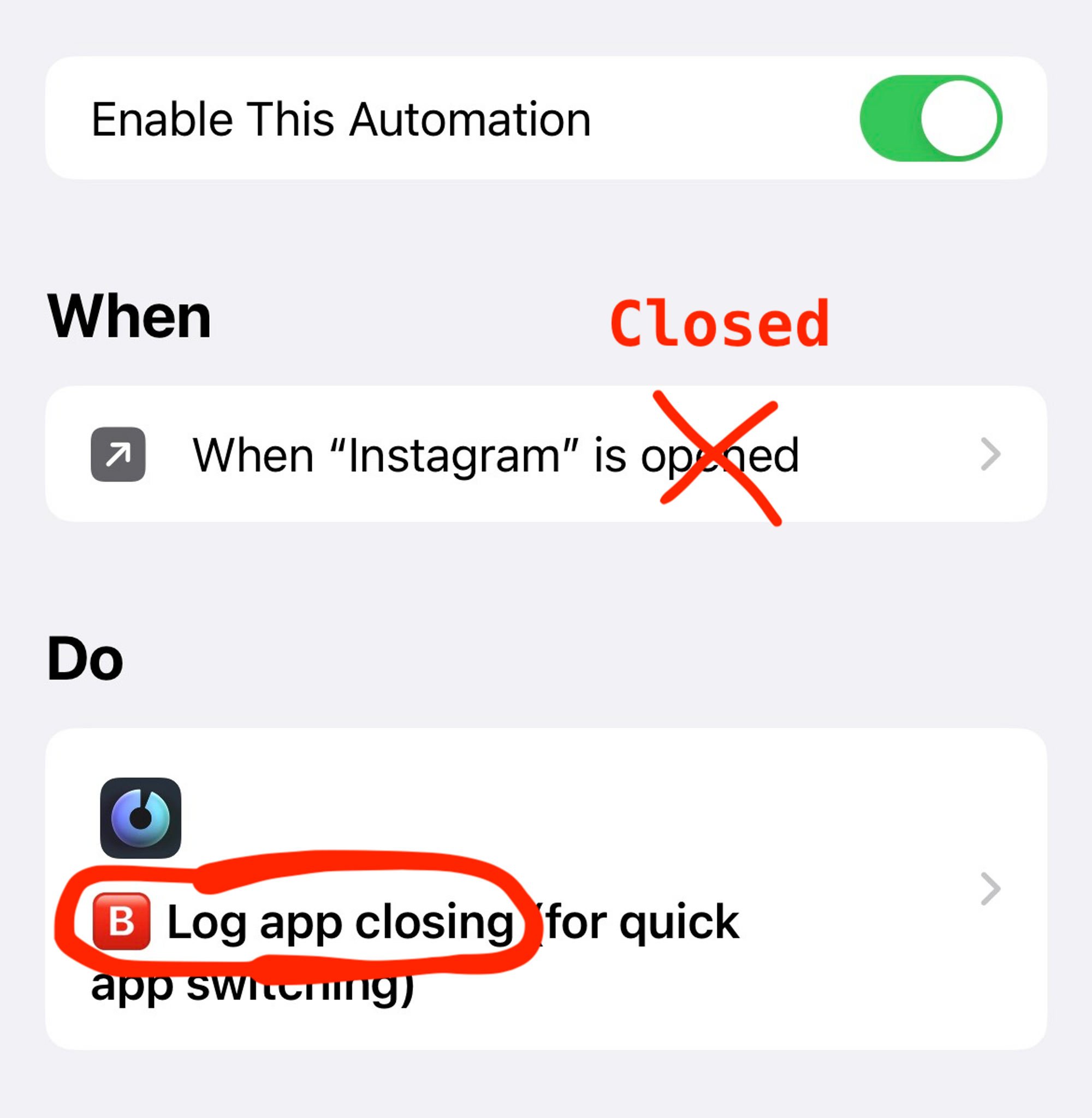
The 🅰️ Open automation should only run the Activate one sec shortcut.
The 🅱️ Closing automation should only run the Log App Closing shortcut.
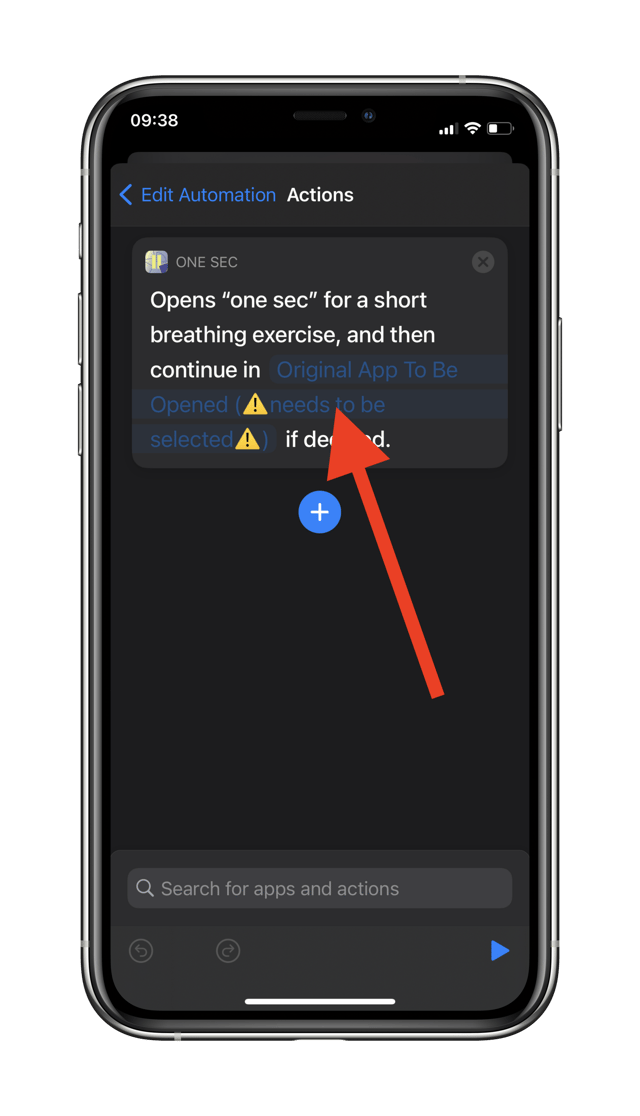
B. "⚠️ Original App to be Opened" Error Open your automation in the Shortcuts app. Make sure that you have selected the correct app for the "Original App to be Opened" variable. If this is missing, one sec won't know which app you are trying to open and the breathing exercise won't trigger.
3. Check for specific Error Messages
Open the Shortcuts app, go to the Automation Tab, and check all your Automations (for app opening and closing) to make sure you’ve selected the “⚠️ Original App to be Opened”.
This is necessary, so that my app knows which app you intended to open, and can refer to the correct one after the breathing exercise.
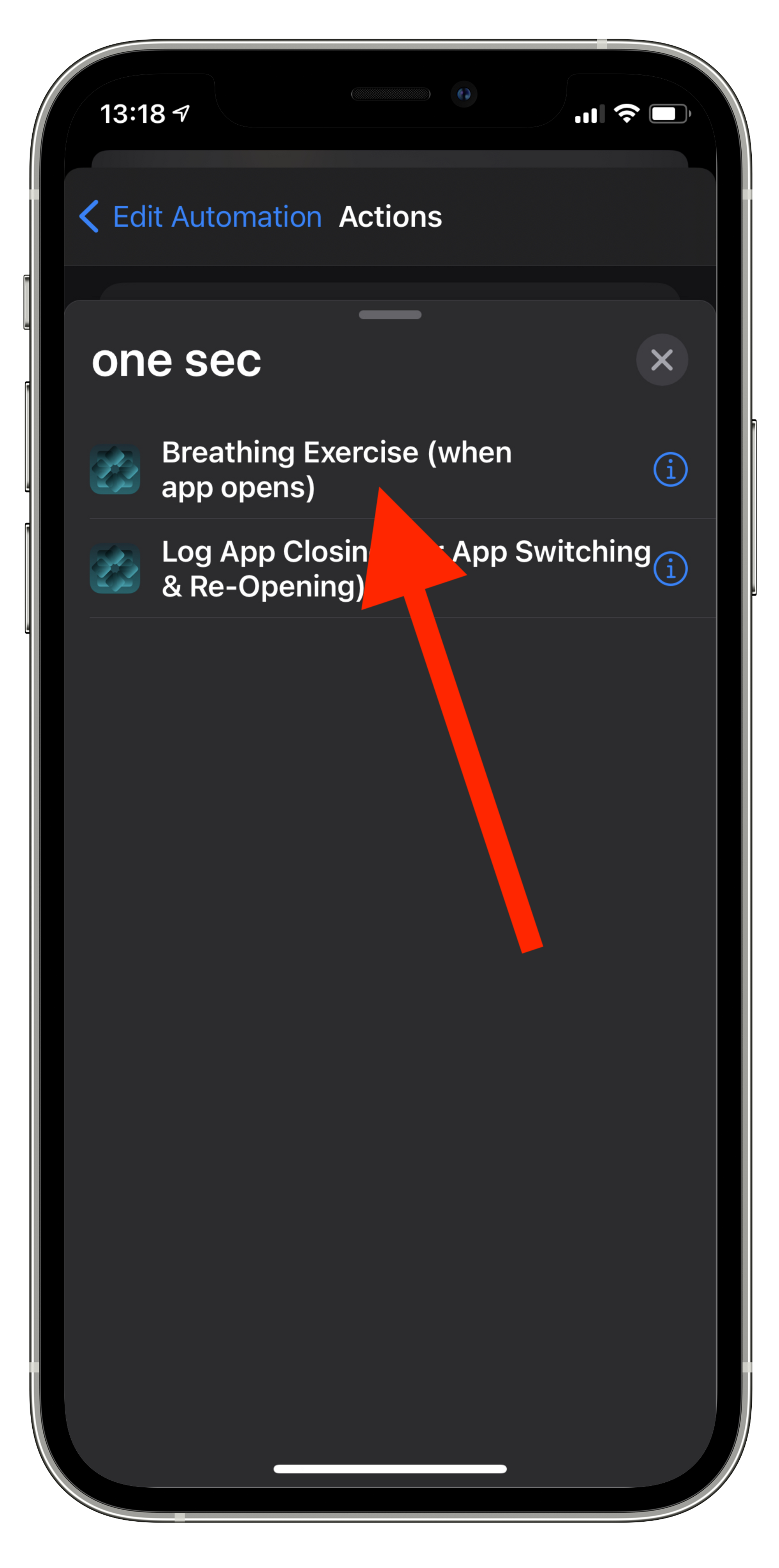
Open the Shortcuts app, go to the Automation Tab, and make sure that all Automations (especially for the app you intended to open right now) have the appropriate “one sec” Shortcut assigned to them.
Opening Automations should include the “🅰️ Activate one sec” Shortcut, whereas closing Automations should include the “🅱️ Log App Closing” Shortcut.
4. Free vs. Pro Version
Are you trying to use one sec for more than one app?
Free Version: Limited to one target app.
Pro Version: Allows an unlimited number of target apps. If you try to set up a second app without Pro, the intervention will not trigger for the additional apps.
Was this helpful?
Still need help? Ask the team