Customize the Intervention [iOS]
Learn how to customize interventions in one sec for iOS. Choose from different exercises like breathing, rotate phone, or follow the dot, and adjust durations and phrases to fit your needs.
Last updated 7 months ago
Article Content:
Interventions in one sec are small exercises that pop up before you can continue to a target app. By default, this is the Breathing Exercise.
The goal of each intervention is to help you reflect on your phone usage and decide if you really want to open a particular app. Interventions are designed to take away the instant gratification that social media apps purposefully build in – one sec is the ultimate protection against their algorithms!
1. Change the Intervention Type
You can choose which exercises you want to complete before an app opens.
Open one sec’s settings.
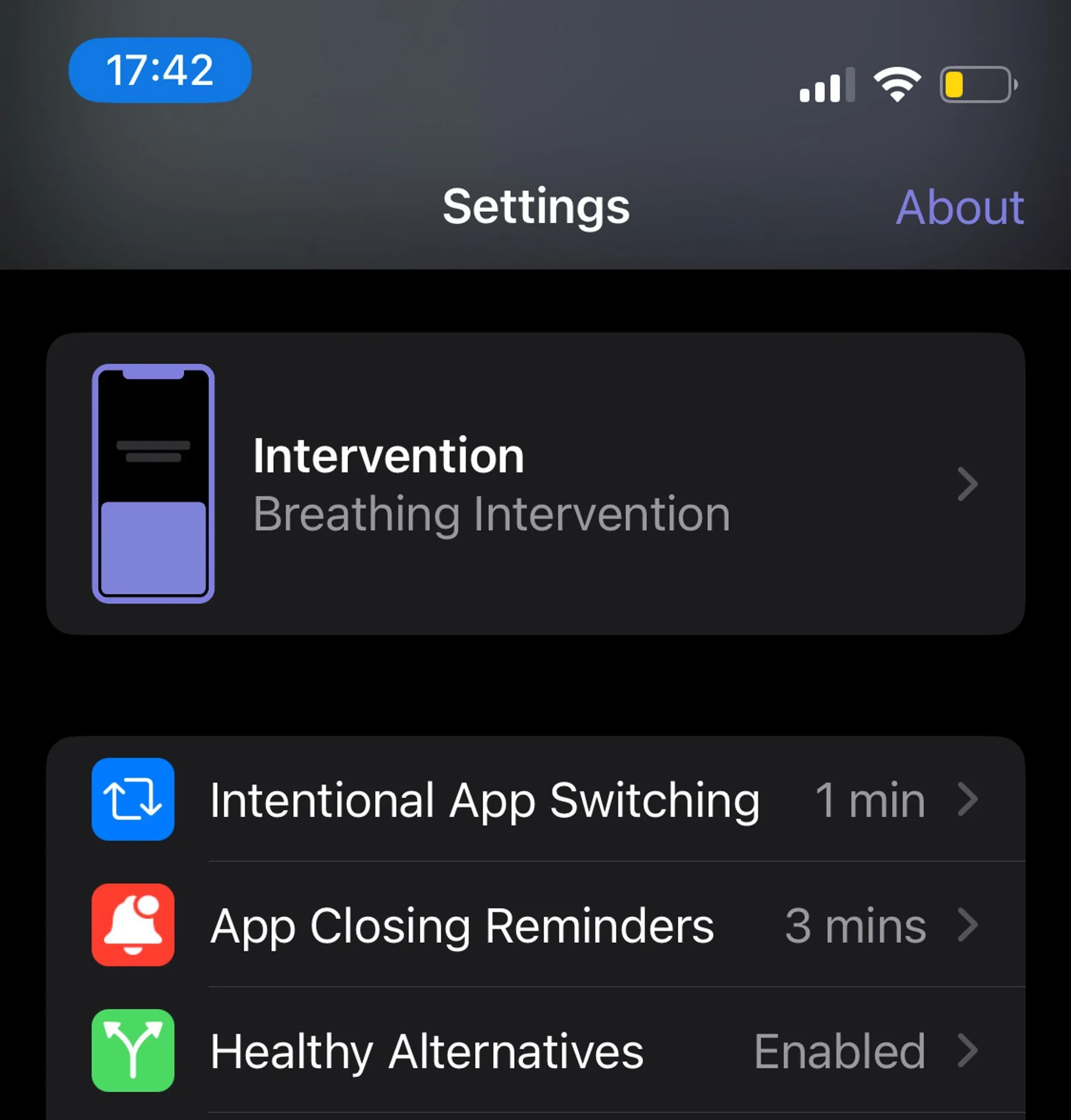
Tap on Intervention at the very top.
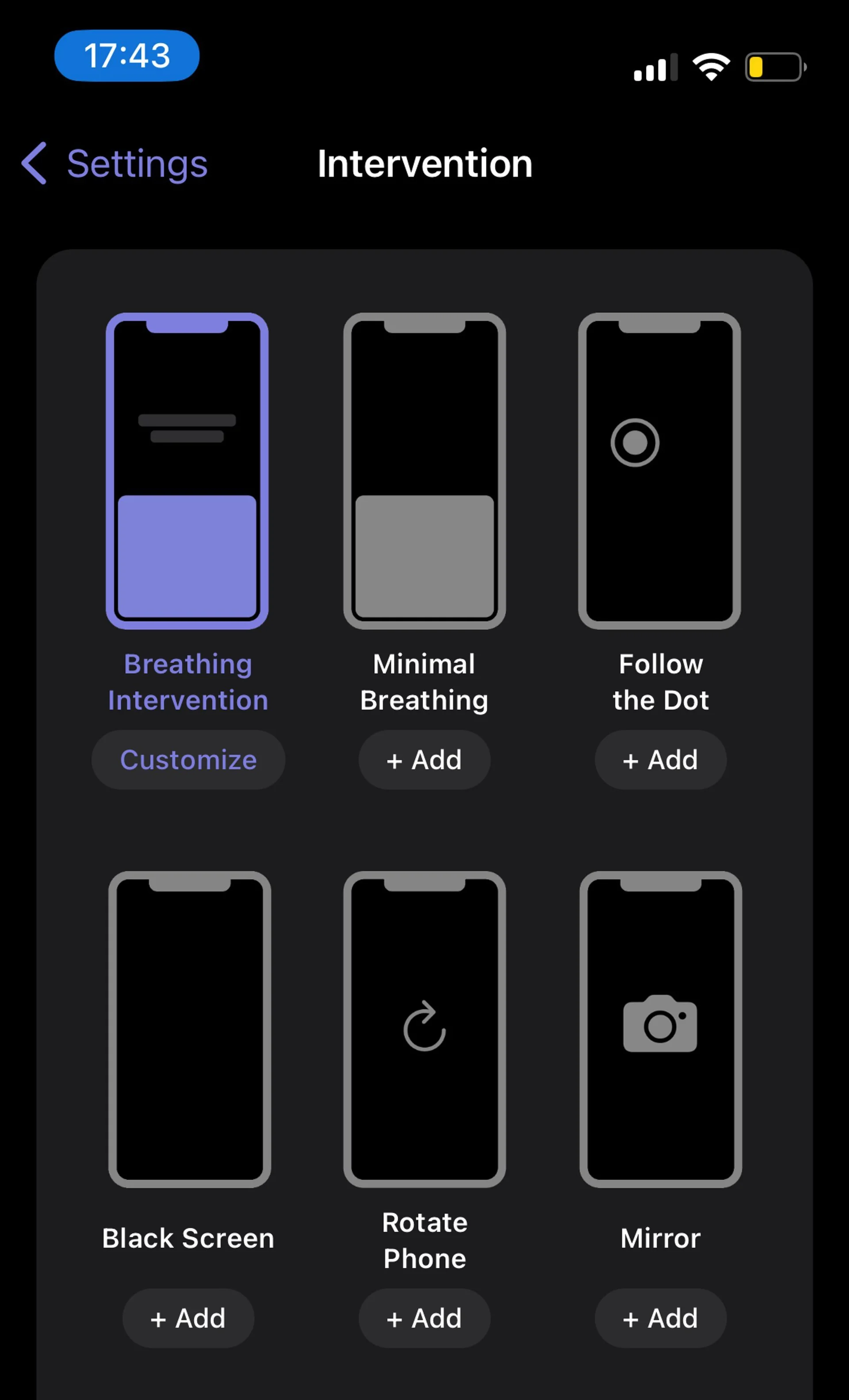
On this screen, you can select as many interventions as you would like – even all of them! one sec will randomly pick from your selected interventions every time you open an app.
Available interventions on iOS:
Breathing exercise (default): Forces you to take a deep breath before opening the target app.
Minimal breathing exercise: A less colorful, minimalist version of the breathing exercise.
Follow the dot: Follow the dot with your finger for 10 seconds to unlock the target app.
Black screen: Your screen turns completely black for 10 seconds.
Rotate phone: Rotate your phone three times around its axis.
Mirror: Look into your own eyes using the front camera and tell yourself that you really want to open that app right now.
2. Customize Intervention Parameters
In order to customize the specific parameters of an intervention (such as its duration):
Tap on Customize underneath the selected intervention.
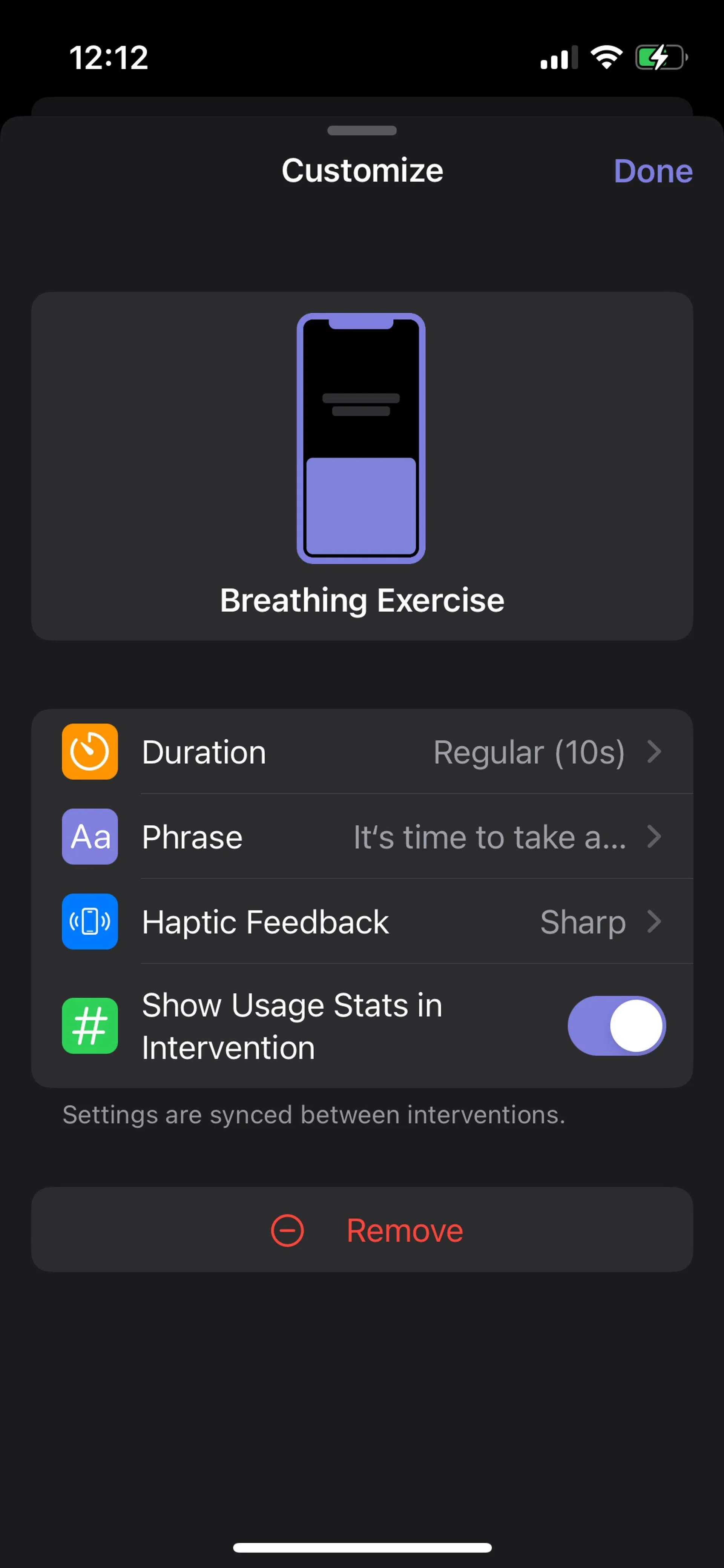
A menu will pop up, allowing you to modify the exercise to suit your needs.
Depending on the intervention type, you can modify:
Duration (e.g., how many seconds you have to wait)
Number of repetitions / rotations
Displayed text phrases
Haptic feedback
Show usage stats during the intervention (e.g., how many times you’ve attempted to open the app today)
Was this helpful?
Still need help? Ask the team