Focus Filters [iOS]
Learn how to use Apple's Focus Filters to automatically modify one sec's intervention behavior based on your active Focus mode. Make interventions longer, disable them, or block apps completely.
Last updated 7 months ago
Article Content:
Focus Filters allow you to modify one sec's intervention behavior automatically based on your current Apple Focus mode (e.g., Work, Sleep, Do Not Disturb).
By linking one sec to your Focus modes, you can automatically modify interventions to become longer, disable them entirely, or block distracting apps completely while you need to concentrate.
How to set up Focus Filters for one sec:
Step 1: Open iOS Focus Settings
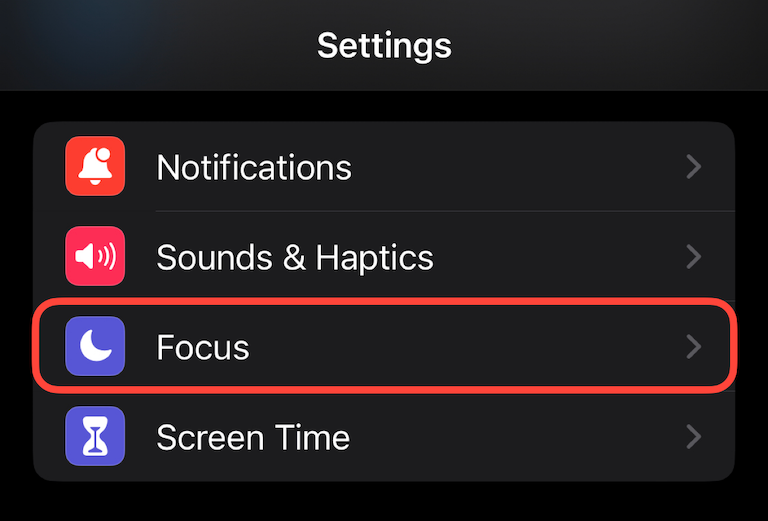
Open your iPhone or iPad Settings.
Tap on Focus.
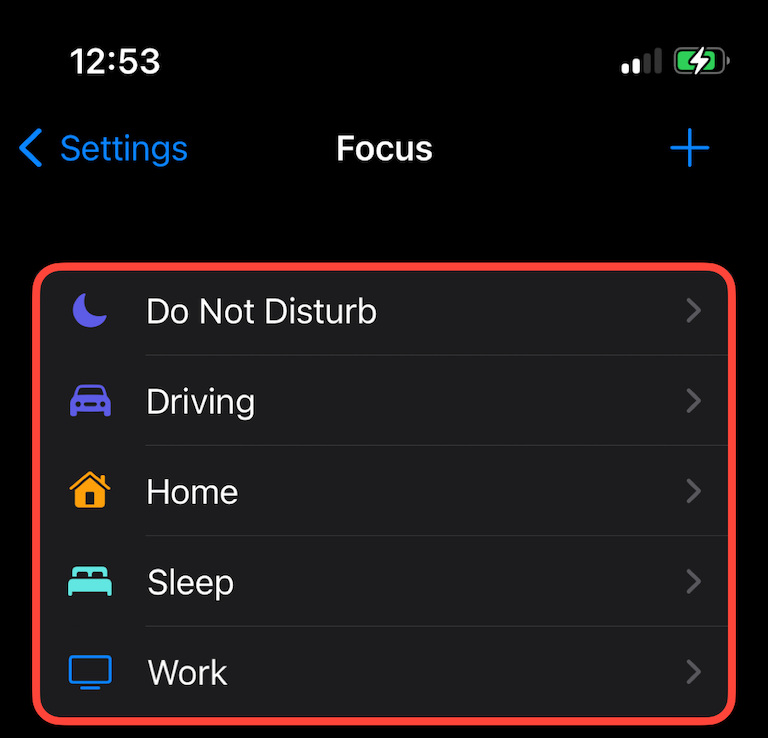
Select the specific Focus mode you’d like to assign a special intervention behavior to (for example, "Work").
Step 2: Add a Focus Filter
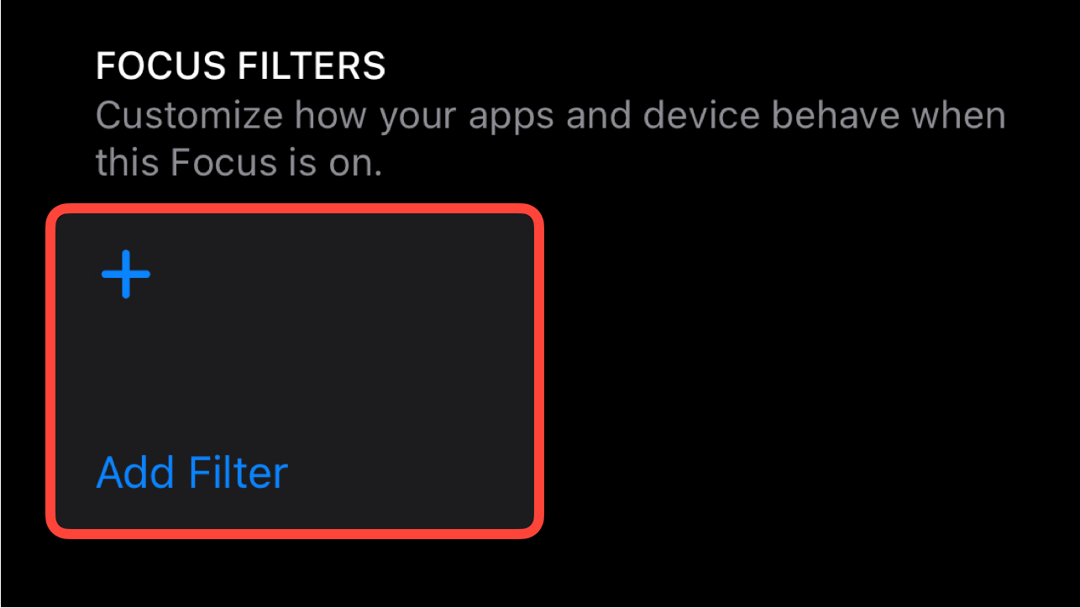
Scroll all the way down to the Focus Filters section.
Tap on + Add Filter.
Step 3: Select one sec From the list of available app filters, select the one sec App Filter.
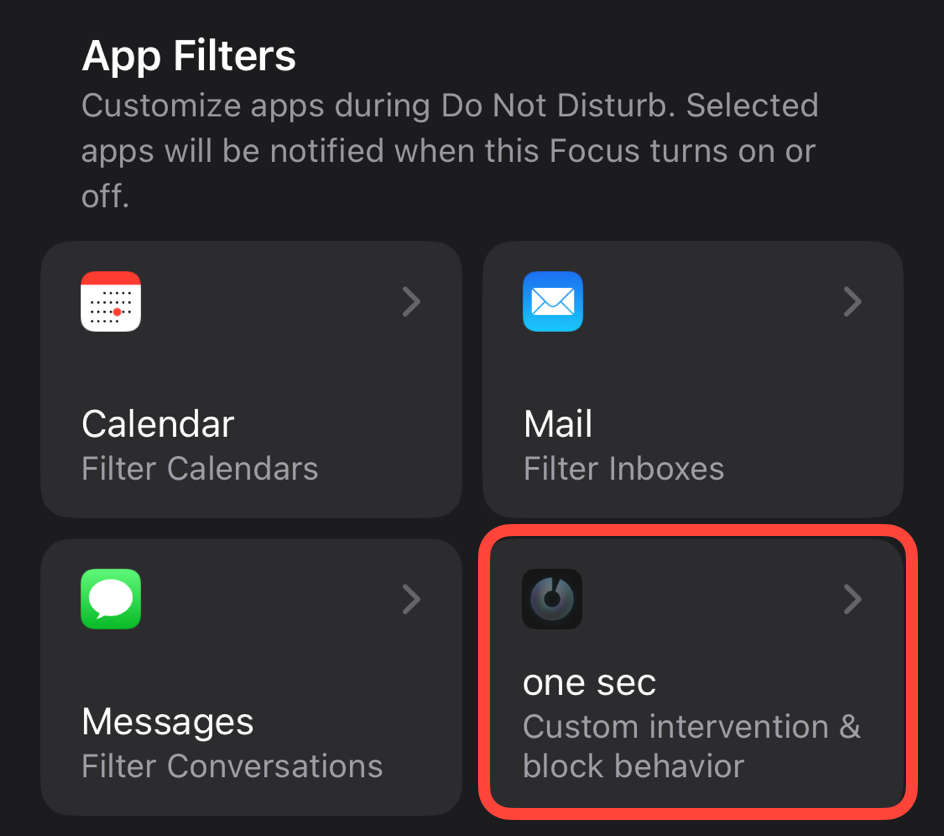
Step 4: Configure the Behavior Apps that are already set up with one sec can be added and configured here. During this specific Focus mode, you can choose to:
Completely block the app.
Add an extra-long intervention to make it even harder to open.
Allow the app without any intervention (e.g., if you need to access social media for work purposes while your "Work" Focus is active).
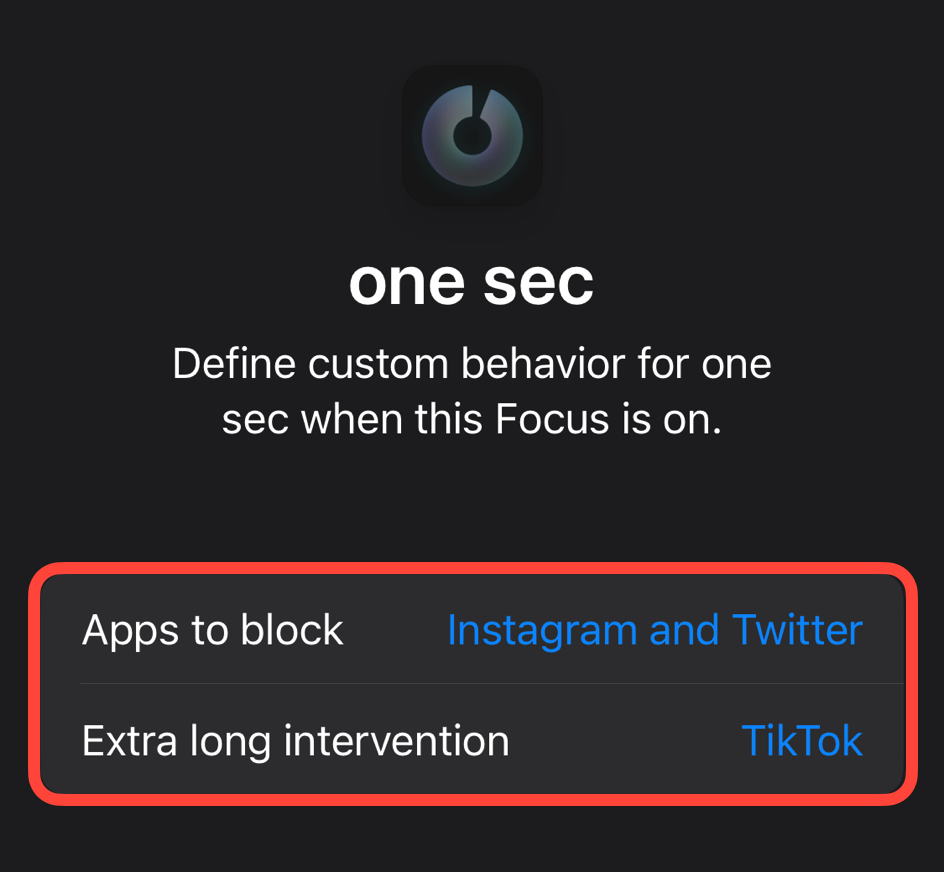
Done! Your one sec interventions will now adapt automatically whenever this Focus mode is turned on.
Was this helpful?
Still need help? Ask the team