Healthy Alternatives [iOS]
Learn how to set up Healthy Alternatives in one sec for iOS. Display custom activities, hobbies, or alternative apps during interventions to motivate you to spend your time more mindfully.
Last updated 7 months ago
Article Content:
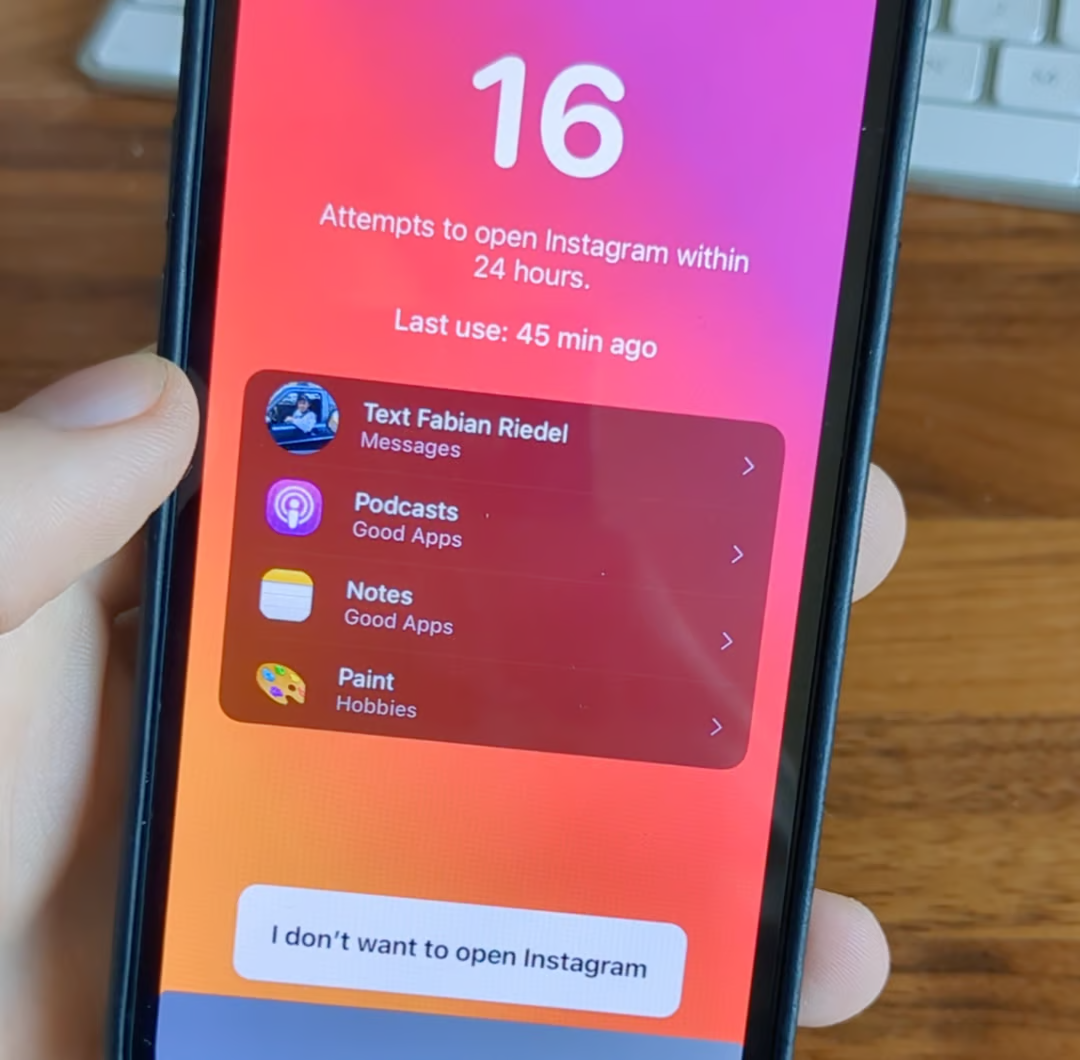
Healthy Alternatives are displayed directly within the interventions to give you additional motivation not to continue to the distracting app you’ve just attempted to open.
Which kind of alternatives work best for you is very subjective. Our suggestion is to add very concrete actions that give you joy – but are much better for your (mental) health!
1. How to set up Healthy Alternatives
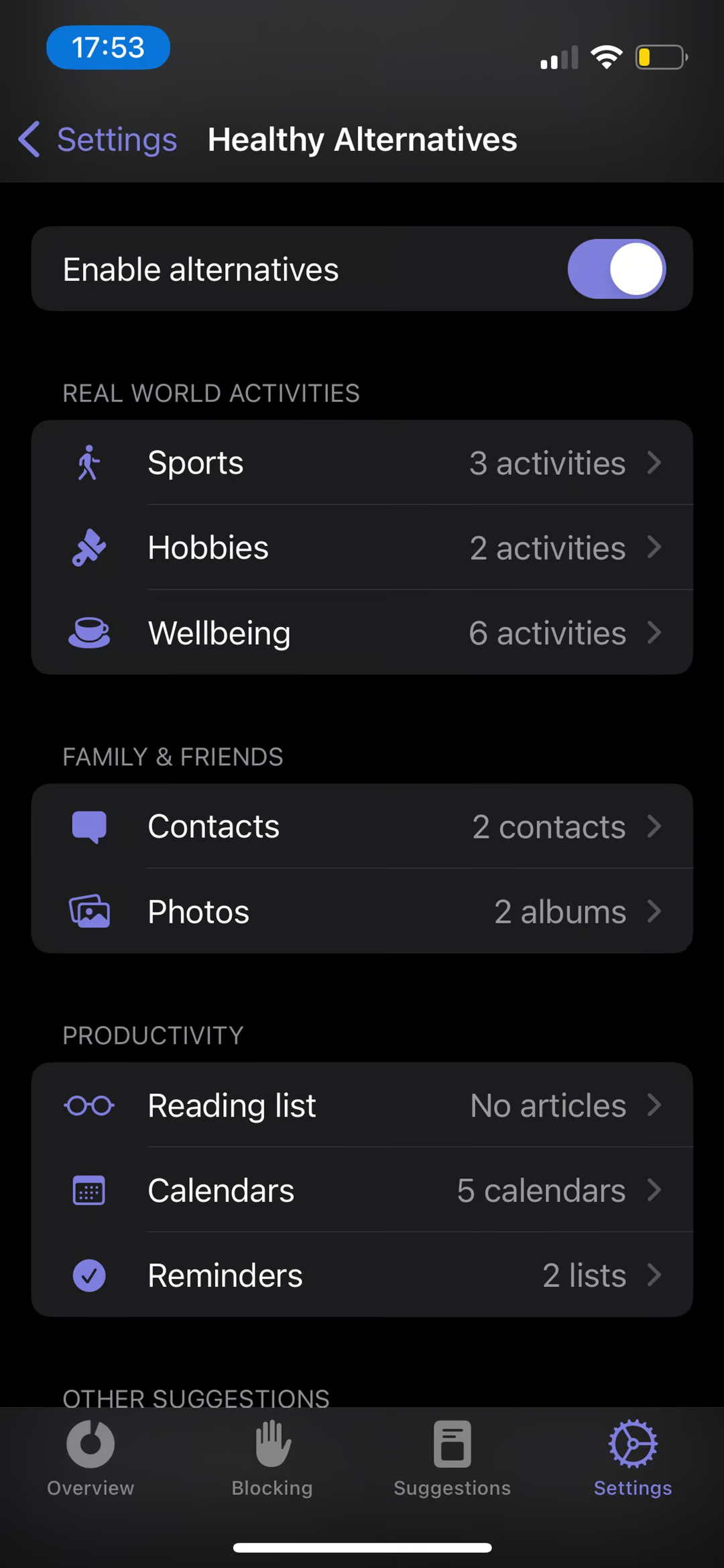
You can easily enable and configure this feature in the settings:
Open the one sec app.
Go to Customize → Healthy alternatives.
Enable the toggle at the top of the screen.
2. Available Options
Once enabled, you can customize exactly what gets suggested to you. Available options include:
🏃 Sport activities
🎸 Hobbies
🧘 Wellbeing activities
📞 Calling / texting selected contacts
🖼️ Favorite photo albums
📖 Reading list items
📅 Calendar entries
✅ To-dos from Reminders
3. Suggesting "Good Apps"
Instead of just actions, you can also suggest other, healthier apps to open instead. one sec provides suggestions for "Good Apps," such as:
Structured
Apple Books
7Mind
Podcasts
Calm
...and many more! (Note: You can also add custom apps here if your favorite healthy app isn't listed).
Was this helpful?
Still need help? Ask the team