Adding Custom Apps [iOS]
Learn how to add custom apps to your one sec intervention list on iOS if they are not included by default. Find out how to use URL schemes to configure any app.
Last updated 7 months ago
Article Content:
We do our best to offer a large list of popular apps by default. However, if your specific app is missing, you can easily add it manually.
(Note: If you feel like an app is very popular and should be added as a default option for everyone, please feel free to get in touch with us!)
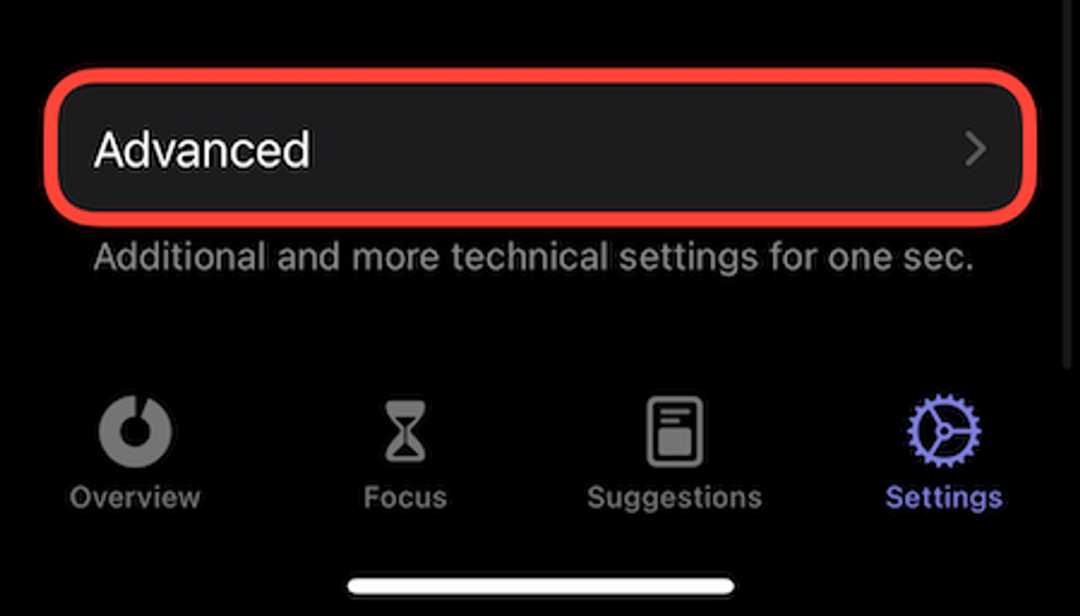
Step 1: Go to Advanced Settings
Open one sec.
Go to the Customize tab at the bottom.
Scroll all the way down and tap on Advanced.
Step 2: Add Custom App
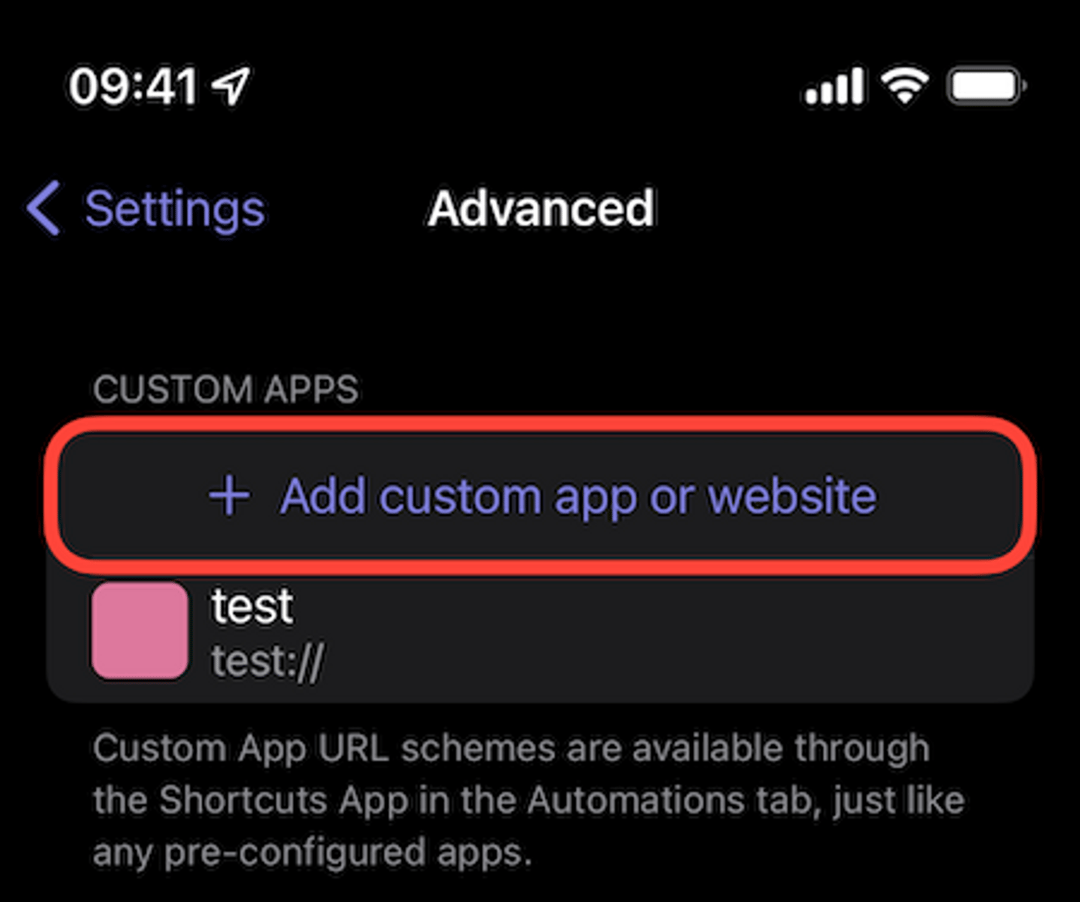
Tap on + Add custom app or website.
Step 3: Figure out the URL Scheme
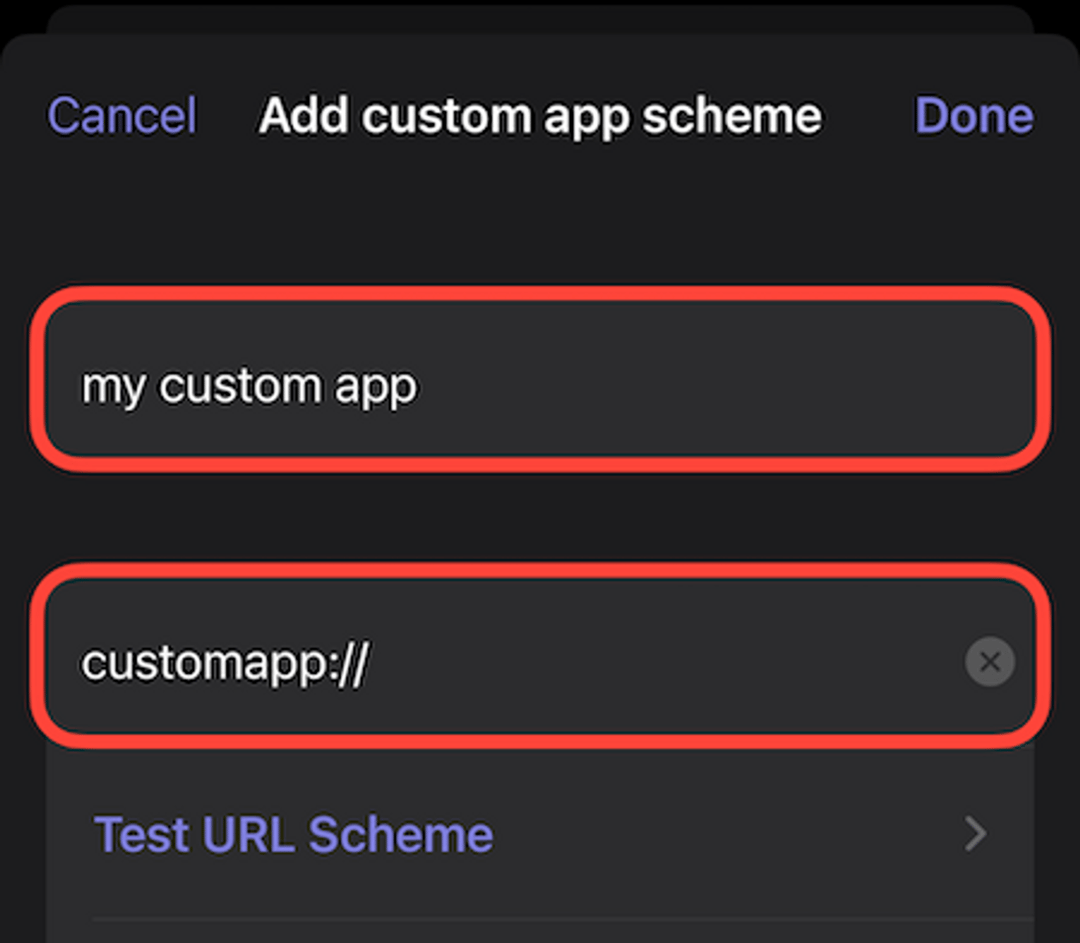
You’ll have to figure out the URL scheme of the app you want to add. The URL scheme is used by one sec to actually open the target app after the breathing exercise has been completed.
How it works: Usually, it’s similar to the app’s name and ends with
://. For example,instagram://orfb://.The Catch: Not all apps register an URL scheme, and some are super weird, so you might not be able to guess it. (If you can't figure it out, there’s a workaround using the Shortcuts App – read the workaround tutorial here).
Step 4: Configure the App Details
Fill in the Name of the app and its URL scheme.
Test it: If you’re not sure if the URL scheme works, you can test it directly on this screen. If nothing happens when you press test, the URL scheme is wrong.
Step 5: Visuals and Web URLs (Optional)
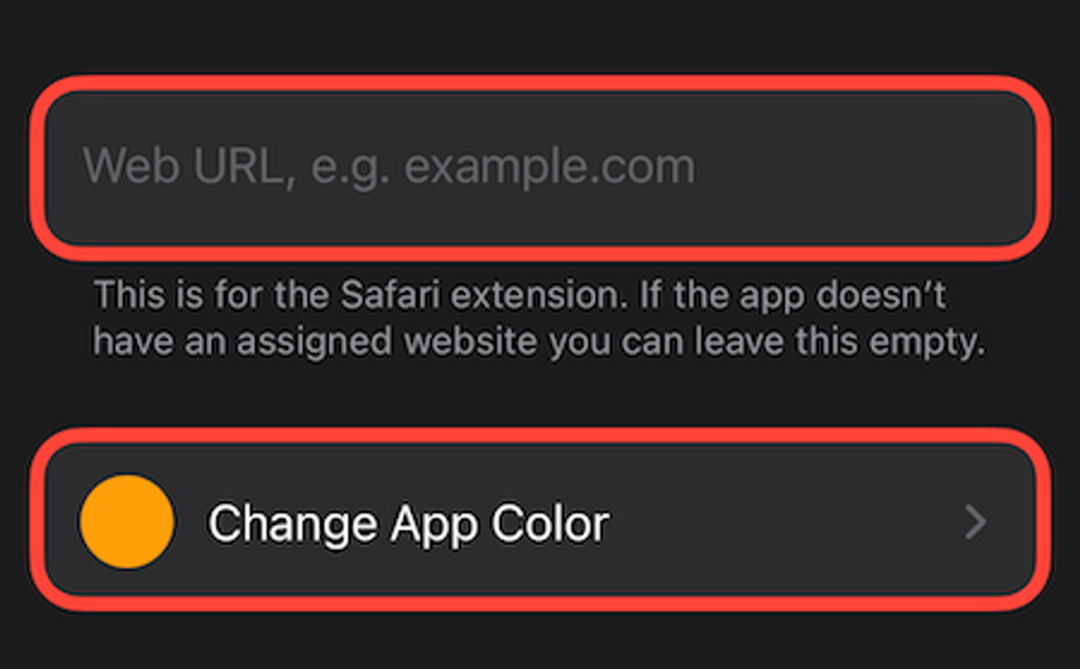
If you scroll down on the same page, you have two more options:
Web URL: Here you can add a web URL assigned to that app if you would like to block the corresponding website in Safari as well.
App Color: You can set the app’s main color so it gets properly reflected in one sec’s user interface during the breathing exercise.
Done! ✓
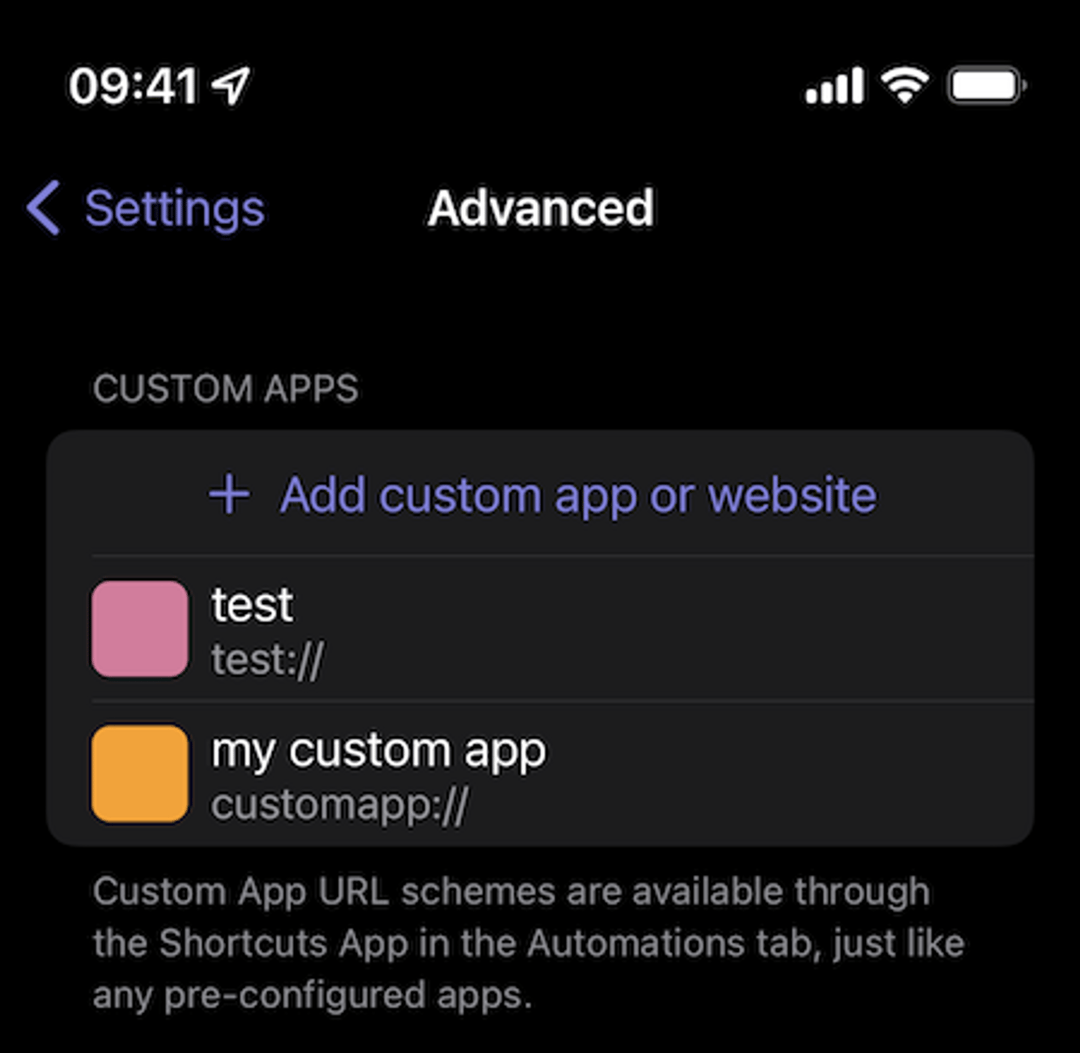
That’s it! Now the app has been added to your local database.
Next Steps
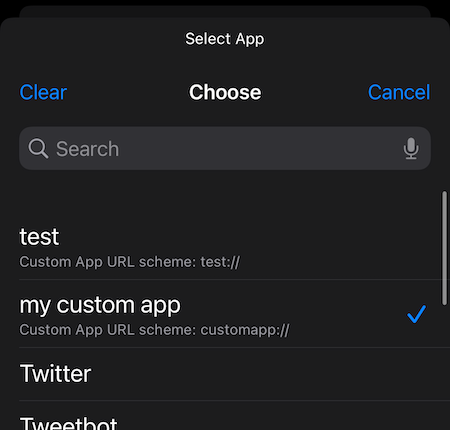
1. Shortcuts Setup Now that the app is added, you can use it within the Shortcuts app to configure your breathing exercise automation.
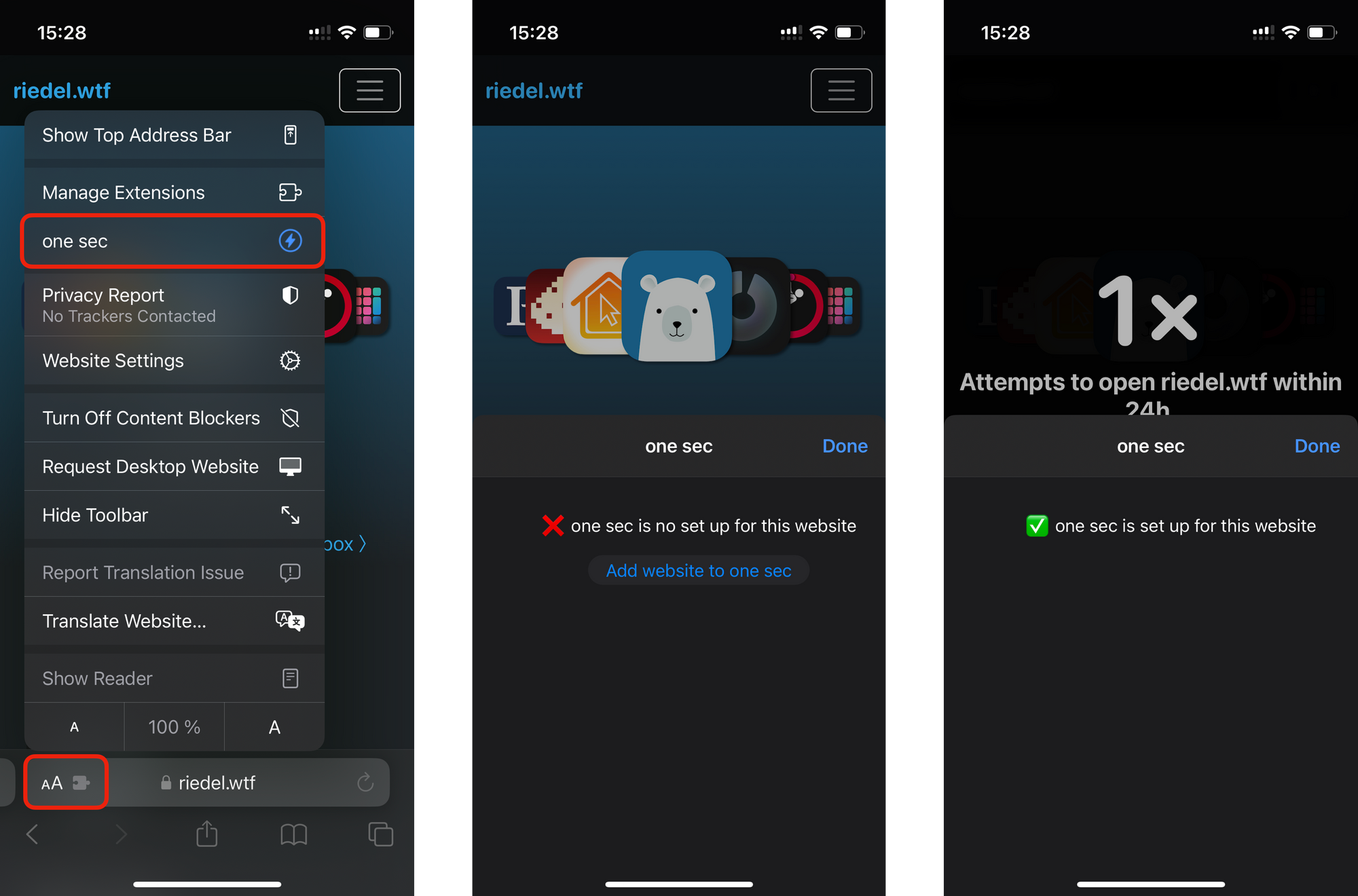
2. Adding Websites If you want to quickly add the currently visited domain instead of an app, you can do this directly by opening one sec’s Safari extension panel.
Need help setting up one sec? Get in touch.
Was this helpful?
Still need help? Ask the team