Phone-Free Morning [iOS]
Learn how to set up a Phone-Free Morning on iOS. Use your Apple Health sleep data to automatically block distracting apps for a set time after you wake up, ensuring a mindful start to your day.
Last updated 7 months ago
Article Content:
The Phone-Free Morning (formerly known as Good Morning Countdown) is designed to help you resist the urge to check social media immediately after waking up. Instead of manual scheduling, this feature uses your actual wake-up time to start a countdown.
1. How to enable Phone-Free Morning
Open the one sec app.
Go to Customize.
Select Phone-Free Morning (or Good Morning Countdown).
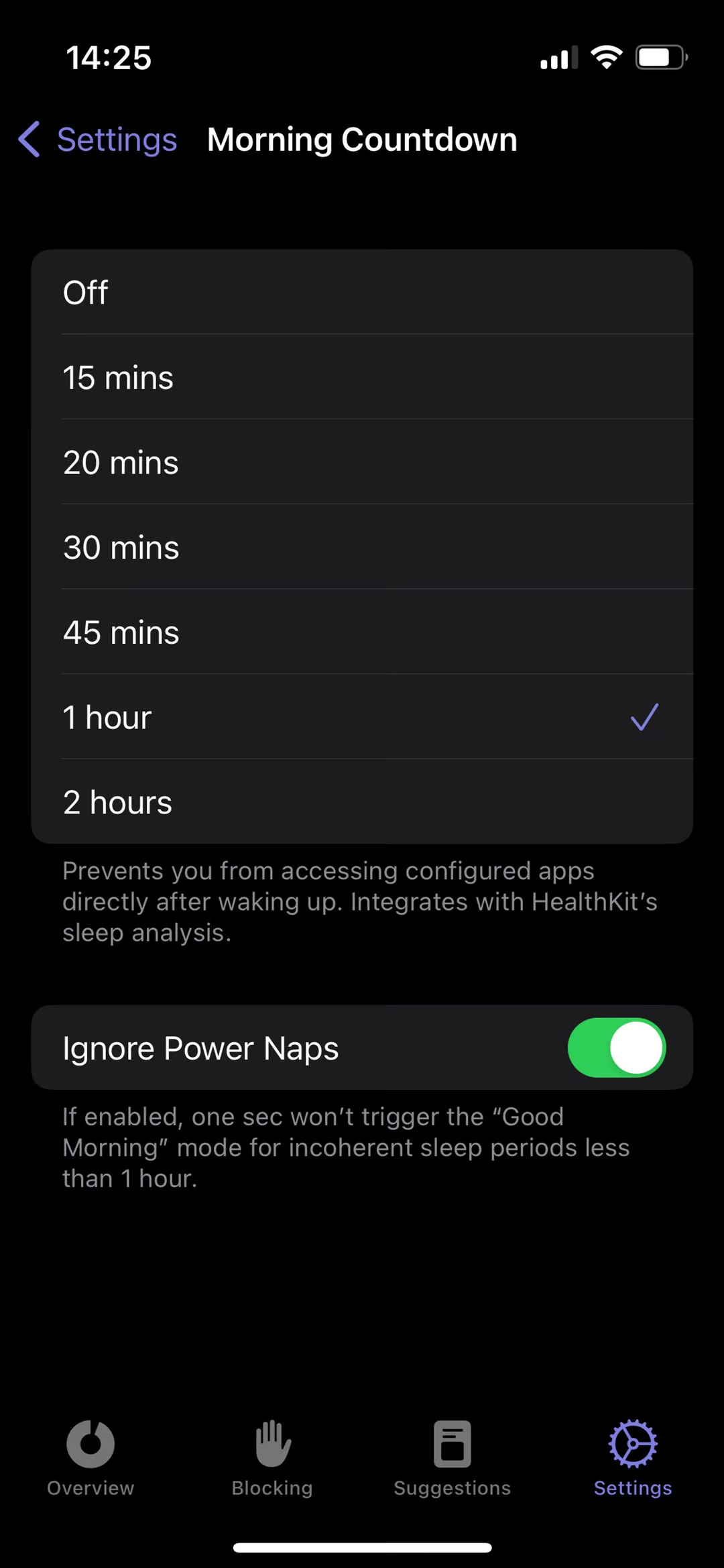
Enable the toggle and select a time interval for how long apps should remain blocked after you wake up (e.g., 30 or 60 minutes).
2. Granting HealthKit Permissions
To work correctly, one sec needs to know exactly when you wake up.
Permission: You will be prompted to grant one sec access to your Sleep Data via Apple Health (HealthKit).
How it works: one sec syncs with HealthKit to detect your wake-up time. Once the system registers that you are awake, the selected blocking period begins.
3. Advanced Settings: Ignore Power Naps
To prevent being locked out of your apps after a short afternoon nap, you can enable the "Ignore Power Naps" toggle. This ensures the block only triggers after your main nightly sleep.
4. Troubleshooting
If the countdown is not appearing as expected or the wake-up time isn't being detected, please ensure that:
Your Apple Watch or iPhone is correctly tracking your sleep.
You have granted all requested permissions in the Health app.
👉 Need more help? Check out our dedicated Good Morning Countdown Troubleshooting Guide.
Was this helpful?
Still need help? Ask the team