Scheduling of Interventions [iOS]
Learn how to schedule your one sec interventions on iOS. Set specific active hours or create an individual schedule for each day of the week to match your routine.
Last updated 7 months ago
Article Content:
If you don't want one sec to be active all day long, you can easily set up a custom schedule. This allows you to define specific hours when the interventions should block your distracting apps.
How to set up an Intervention Schedule:
Step 1: Open Settings
Open the one sec app.
Go to the Customize.
Scroll down and tap on Intervention Schedule.
Step 2: Configure Active Hours
Enable the main toggle at the top of the screen.
Select the specific hours during which one sec's interventions should be active (for example, from 9:00 AM to 5:00 PM).
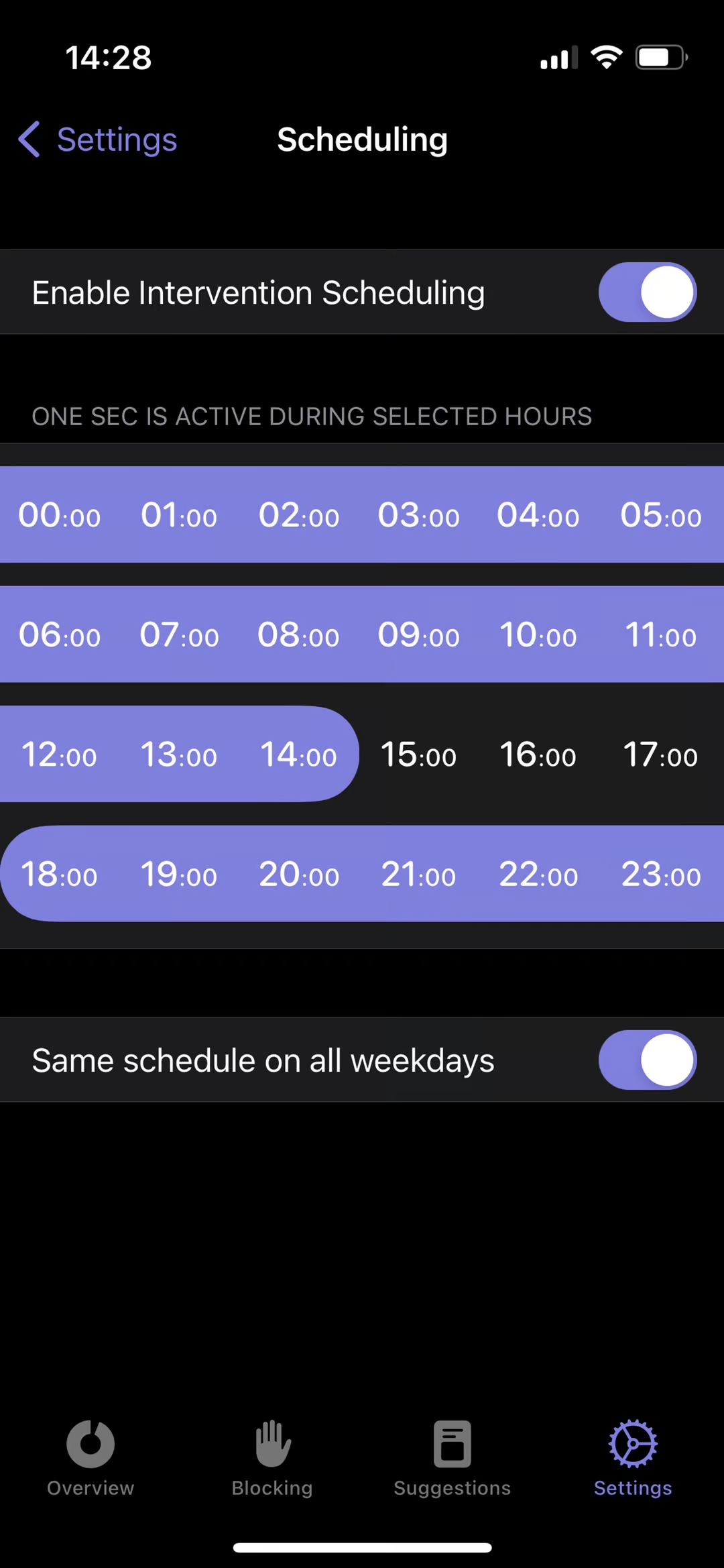
Step 3: Individual Schedule per Day (Optional) If your routine changes throughout the week (e.g., weekends vs. workdays), you can customize this as well!
Enable the toggle at the bottom of the screen to set up an individual schedule for each day of the week.
Was this helpful?
Still need help? Ask the team